Core Web Vitals: Thresholds, Real Ranking Weight and Fixes
Three metrics, three thresholds, one percentile. Here is what Google actually measures, how much it really counts for rankings, and the fixes I would do first on a slow site.

Published · Updated · 11 min read
Contents
Core Web Vitals are the three metrics Google uses to measure how a page feels to a real visitor: how fast the main content appears, how quickly the page reacts to a tap, and whether things jump around while it loads. Google's own documentation says they are "used by our ranking systems". It also says, on the same page, that relevance comes first. Both sentences matter, and most articles on the topic only quote one.
I ran an SEO agency with more than 100 clients before building Sorank, and Core Web Vitals were the most misunderstood part of technical SEO: either ignored, or treated as the reason a site did not rank. The truth sits in between. Below, the official thresholds, the latest pass rates from the HTTP Archive, and the fixes that move the numbers in the order I would do them.
What are Core Web Vitals?
Core Web Vitals are three user experience metrics measured on real Chrome visits: Largest Contentful Paint (LCP) for loading, Interaction to Next Paint (INP) for responsiveness, and Cumulative Layout Shift (CLS) for visual stability. Google publishes them, Chrome collects them, and Search Console reports them per group of URLs.
- LCP is the time until the largest image or text block in the viewport is displayed. Usually the hero image, the product photo or the H1 block.
- INP is the delay between an interaction (click, tap, key press) and the next frame the browser paints. It looks at interactions over the whole visit and keeps one of the slowest. It replaced First Input Delay (FID) on 12 March 2024, which only measured the first interaction.
- CLS adds up unexpected layout shifts: the button that moves just as you tap it, the text pushed down by a late banner.
The data comes from the Chrome User Experience Report (CrUX), a public dataset of real visits by Chrome users who opted in. That detail matters: a Lighthouse score in your browser is a lab test, useful for debugging, but it is not what Google uses.
What are the Core Web Vitals thresholds?
A page is "good" when, at the 75th percentile of real visits, LCP is 2.5 seconds or less, INP is 200 milliseconds or less, and CLS is 0.1 or less. "Poor" starts above 4 seconds, 500 milliseconds and 0.25. Mobile and desktop are assessed separately.
The 75th percentile means three out of four visits must hit the target. It protects you from a few slow outliers, but it also means your average visitor on a fast office connection is not the benchmark: the user on a mid-range phone with a weak signal is. The table below sums up each metric, what usually breaks it, and the first fix to try.
| Metric | Good | Poor | Usual cause | First fix |
|---|---|---|---|---|
| LCP (loading) | 2.5 s or less | Over 4 s | Heavy hero image, slow server, image found late | Compress and preload the hero image, cache HTML |
| INP (responsiveness) | 200 ms or less | Over 500 ms | Long JavaScript tasks, third-party scripts | Remove or defer scripts, split long tasks |
| CLS (stability) | 0.1 or less | Over 0.25 | Images without dimensions, ads, late banners, web fonts | Set width and height, reserve space |
Do Core Web Vitals affect rankings?
Yes, but modestly. Google confirms that Core Web Vitals are used by its ranking systems, and in the same document it makes clear that relevance wins. In practice, they work like a tie-breaker between pages that answer the query equally well.
"Google Search always seeks to show the most relevant content, even if the page experience is sub-par."Google Search Central, Understanding page experience in Google Search results
The same page adds that good results in the Search Console Core Web Vitals report do not guarantee that your pages will rank at the top. My opinion: a slow page with the best answer beats a fast page with a weak one, every time. Fix speed when your content is already competitive, or when the gap is so large (an LCP of 8 seconds on mobile) that visitors leave before reading.
The stronger argument is business, not ranking. In the "Milliseconds make millions" study, commissioned by Google and run by 55 and Deloitte on 37 brand sites, a 0.1 second improvement in mobile speed raised conversion rates by 8.4% for retail sites and 10.1% for travel sites. Rankings bring the visit; speed decides whether it turns into a sale.
How many websites pass Core Web Vitals?
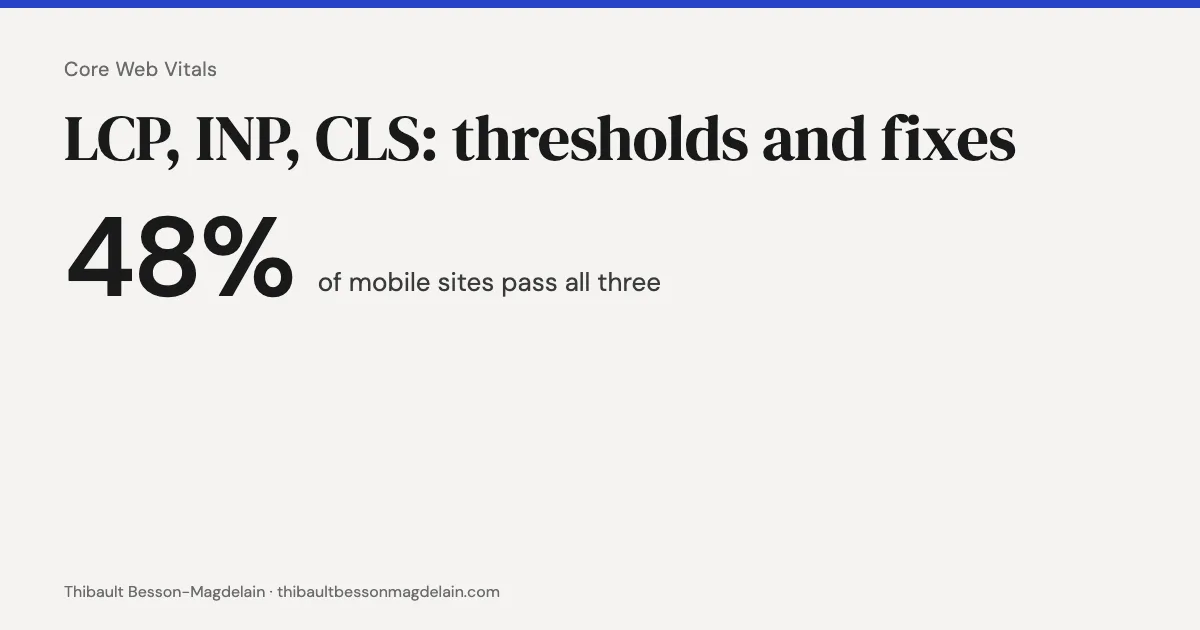
Fewer than half on mobile. According to the HTTP Archive Web Almanac 2025, based on CrUX data from July 2025, 48% of mobile websites and 56% of desktop websites have good Core Web Vitals on all three metrics. LCP is the hardest to pass on mobile (62%), while INP is almost solved on desktop (97%).
Two things stand out. First, mobile is where the work is: every metric except CLS is worse on phones, because processors are slower and networks less reliable. Second, CLS is the only metric where desktop does worse (72% against 81%), often because desktop layouts load more ads, sidebars and late widgets. If your audience is mostly mobile, as it is for most local businesses, LCP and INP on mobile are the numbers to watch.
How do you measure your Core Web Vitals?
Use field data first, lab data second. Field data (real visits) tells you whether you have a problem; lab data (a simulated load) helps you find the cause.
- Search Console, Core Web Vitals report. Groups your URLs into good, needs improvement and poor, for mobile and desktop. Start here: it shows which templates are affected.
- PageSpeed Insights. For a single URL, the top block shows CrUX field data (when the page has enough traffic) and the bottom block a Lighthouse lab test with diagnostics.
- Chrome DevTools, Performance panel. Records a load or an interaction and shows exactly which script or image is slow. This is where INP problems get solved.
- Real user monitoring. The free web-vitals JavaScript library from Google can send each visitor's metrics to your analytics. Useful when a page has too little traffic to appear in CrUX.
A frequent trap: small sites often have no field data at all, because CrUX needs a minimum amount of traffic. In that case, rely on lab tests on a throttled mobile profile, and do not panic over a Lighthouse score of 70. Google does not use that score.
How do you fix a slow LCP?
Find out which of the four phases is slow, then fix that phase. Google's guide to optimizing LCP splits it into time to first byte, resource load delay, resource load duration and element render delay, and suggests that roughly 40% of the time go to the server response, 40% to downloading the resource, and less than 10% each to the two delays.
- Server response (time to first byte). Cache the HTML, use a content delivery network (a network of servers close to your visitors), cut slow database queries. On WordPress, a page cache plugin usually cuts it sharply.
- Resource load delay. The browser must discover the LCP image early. Do not lazy-load it, put it in the HTML rather than in CSS or JavaScript, and add
fetchpriority="high". - Resource load duration. Serve a modern format (WebP or AVIF), at the size it is displayed. An oversized hero photo (2 MB is not rare) is one of the most common causes of a slow LCP. A free tool like Sorank's image compressor handles it in a minute.
- Element render delay. Render-blocking CSS and JavaScript keep the image from being painted even when it is downloaded. Inline critical CSS and defer the rest.
How do you fix INP and CLS?
INP is a JavaScript problem: the main thread is busy when the user taps. CLS is a layout problem: the browser does not know how much space to reserve. Both have well-known fixes.
For INP, list your third-party scripts (chat widgets, tag managers, A/B testing tools, heat maps) and remove the ones nobody looks at. Then break long tasks into smaller ones so the browser can respond between them, and avoid heavy work in click handlers: show visual feedback first, compute after. On sites built with heavy frameworks, the hydration step (when JavaScript takes over the server-rendered page) is often the culprit.
For CLS, give every image and video explicit width and height attributes, reserve fixed space for ads and embeds, and never insert a banner above content that is already visible. Web fonts can also shift text when they swap in; preloading the main font and using a close fallback reduces the jump.
Where should you start?
Start with the templates that carry your traffic and your revenue, on mobile, and with the metric that is "poor" rather than the one that is "needs improvement". Here is the order I use in an audit.
- Open the Search Console report and note which URL groups are poor on mobile.
- Match them to your most visited and most profitable templates (home, category, product, service pages).
- Fix LCP on those templates first: it is the most failed metric and often the cheapest to fix (images, cache).
- Then audit third-party scripts for INP, and dimensions for CLS.
- Validate the fix in Search Console. Field data covers the previous 28 days, so improvements show up gradually.
Core Web Vitals are one item of a wider technical check. If you want the full list, the SEO audit checklist puts them in context, and for local businesses whose visitors are mostly on phones, the local SEO guide covers the rest. Speed also matters for the pages Google now summarizes; I cover that in Google AI Overviews SEO.
So, how much do Core Web Vitals matter?
Core Web Vitals are a confirmed but light ranking signal: aim for LCP under 2.5 s, INP under 200 ms and CLS under 0.1 on mobile, and treat them as a conversion lever as much as an SEO one. More than half of mobile websites still fail at least one of them, so passing is a real edge when your content already competes.
Once speed is fixed, check that it shows in your positions and in AI answers. See Sorank's plans, and the Core Web Vitals glossary entry if you need a one-page summary for your team.
Sources
- Google Search Central, "Understanding Core Web Vitals and Google search results": LCP, INP and CLS targets.
- Google Search Central, "Understanding page experience in Google Search results": Core Web Vitals used in ranking, relevance first.
- web.dev, "Optimize Largest Contentful Paint": the four LCP phases and their recommended share.
- web.dev, "Interaction to Next Paint becomes a Core Web Vital on March 12": INP replaces FID.
- HTTP Archive, Web Almanac 2025, Performance chapter: 48% of mobile and 56% of desktop websites pass.
- web.dev, "Milliseconds make millions": 8.4% more retail conversions for 0.1 s faster.
FAQ
Are Core Web Vitals a ranking factor?
Yes. Google states that Core Web Vitals are used by its ranking systems. But it also says it always seeks to show the most relevant content even if the page experience is sub-par, so they mostly decide between pages of similar quality.
What replaced FID in Core Web Vitals?
Interaction to Next Paint (INP) replaced First Input Delay on 12 March 2024. INP looks at interactions over the whole visit instead of only the first one, which makes it harder to pass for JavaScript-heavy sites.
Why does PageSpeed Insights show different scores each time?
The Lighthouse score at the bottom is a lab test that varies with server load and network conditions. The field data at the top, from real Chrome users over 28 days, is stable and is what Google uses. Judge your pages on the field data.
Founder of Sorank, the SEO and GEO platform that tracks how ChatGPT, Gemini, Perplexity, Claude and Grok talk about brands. Before Sorank, I ran an SEO agency that served more than 100 clients. Based in Budapest.
Read next
-
Does Google Penalize AI Content? What It Really Punishes
Google does not penalize content for being AI-written. It punishes pages mass-produced to rank.
-

Local SEO: How to Rank on Google Maps and in AI Answers
Business Profile, reviews, local pages, and the directories AI cites for local queries.
-

SaaS SEO: Build the Pages That Sell Before the Blog
SEO for software companies: comparison, alternatives, integration and pricing pages before the blog, with AI data.
Continue on SEO and AI visibility: all articles on the blog